Guide
The Microsoft 365 SOC 2 report: where to find it and how to use it
The Microsoft 365 SOC 2 report is evidence for your vendor review, not for your own controls. So read it for scope and user responsibilities, then file it with your vendor records.
- Preparation, not the examination
- A licensed CPA firm signs the report
- Plain-English guidance
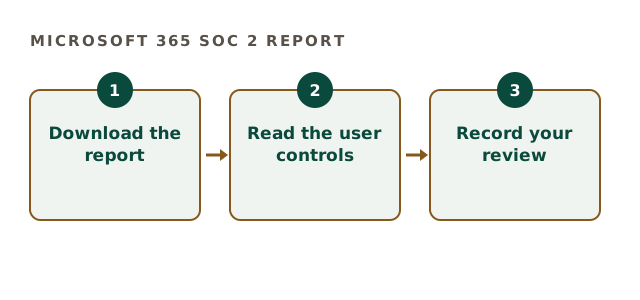
Where the Microsoft 365 SOC 2 report lives
Microsoft publishes its audit reports through the Service Trust Portal. Also, you usually need to sign in with a work account to download them.
Reports are issued periodically. Therefore note the period covered, because your auditor checks that evidence is current.
Reading the Microsoft 365 SOC 2 report
Focus on a few sections first. However, skim the whole report once, because exceptions can hide in the testing results.
| Section | What to check |
|---|---|
| Scope | Which Microsoft 365 services are covered |
| Period | Dates of the testing window |
| Opinion | Whether it is unqualified |
| User entity controls | What Microsoft expects you to do |
| Exceptions | Any failed tests and responses |
Microsoft 365 SOC 2 report review check
Tick what your vendor file already holds.
Your result appears here as you tick, so you can see what is still open.
User controls the Microsoft 365 SOC 2 report leaves to you
The report covers Microsoft's side. In contrast, your tenant settings remain your responsibility.
- Multi-factor authentication for users
- Admin role assignment and review
- Retention and sharing settings
- Offboarding departing staff promptly
Filing it for your own examination
Your CPA firm will ask how you monitor key vendors. So keep the report, a short review note and the date of review together. As a result, vendor management evidence is ready in minutes.
In addition, repeat the review when a new report is published.
Where Clearpoint helps
We build the vendor review routine and map user controls into your control set. Our preparation fee is fixed, between $5,000 and $40,000. We are not a CPA firm. Reports are on the Microsoft Service Trust Portal.
Also look at the subservice organisations listed. Because some functions may rely on other providers, the report explains which are carved out. So your review should note them. In addition, compare user entity controls with your own control list, because missing ones become gaps in your examination. As a result, your vendor file shows real analysis rather than a downloaded PDF.
Microsoft 365 SOC 2 report questions
Is the Microsoft 365 SOC 2 report free?
It is available to customers through the Service Trust Portal.
Does the Microsoft 365 SOC 2 report cover our tenant?
No. It covers Microsoft's controls, while tenant settings stay yours.
How often is the Microsoft 365 SOC 2 report updated?
Microsoft publishes reports periodically, so check the period each time.
What if the report shows exceptions?
Read Microsoft's response and note your assessment in the review.
Related guides
Use the Microsoft 365 SOC 2 report properly
Tell us which vendors you rely on. We reply with a written scope and a fixed preparation fee.
Scope your preparation